2GO App
restaurant food delivery management
Streamlining Food Delivery
The 2GO App was developed to optimize the food delivery process for restaurants. The project includes three key components: the main delivery management system, an intuitive admin dashboard for efficient order management, and a driver dashboard designed to streamline route planning and real-time delivery updates. The app prioritizes user-friendly functionality, ensuring seamless coordination between restaurants, drivers, and customers.
Figma prototipe 1
Figma prototipe 2
Project Scope
user experience design
user interface design
about the project
The idea for the 2GO App emerged from firsthand experience working as both a delivery driver and a delivery supervisor assistant in a restaurant. This dual-role experience revealed inefficiencies in the existing delivery process and inspired the development of a solution. The app enhances the efficiency of food delivery businesses through features like automatic delivery assignment, real-time location tracking, and seamless communication between supervisors and drivers. It ensures comprehensive tracking of orders, deliveries, and driver performance while fostering smooth coordination among supervisors, kitchen staff, and drivers.
Approach
Current Solution
The existing system relies on time-consuming methods, including multiple Viber groups for communication, which often leads to delays, customer dissatisfaction, and reduced productivity.
The Challenge
Optimizing numerous order requests for prompt delivery while reducing the stress on supervisors, who are tasked with monitoring kitchen activity, organizing delivery routes, and assigning orders manually.
Identifying Pain Points
User interviews and field studies revealed key challenges:
- Real-time tracking of orders and deliveries.
- Mapping drivers' current positions.
- Providing instant access to critical delivery info.
- Linking drivers with vehicles for specific shifts.

Design Process
Information Architecture: Admin Dashboard
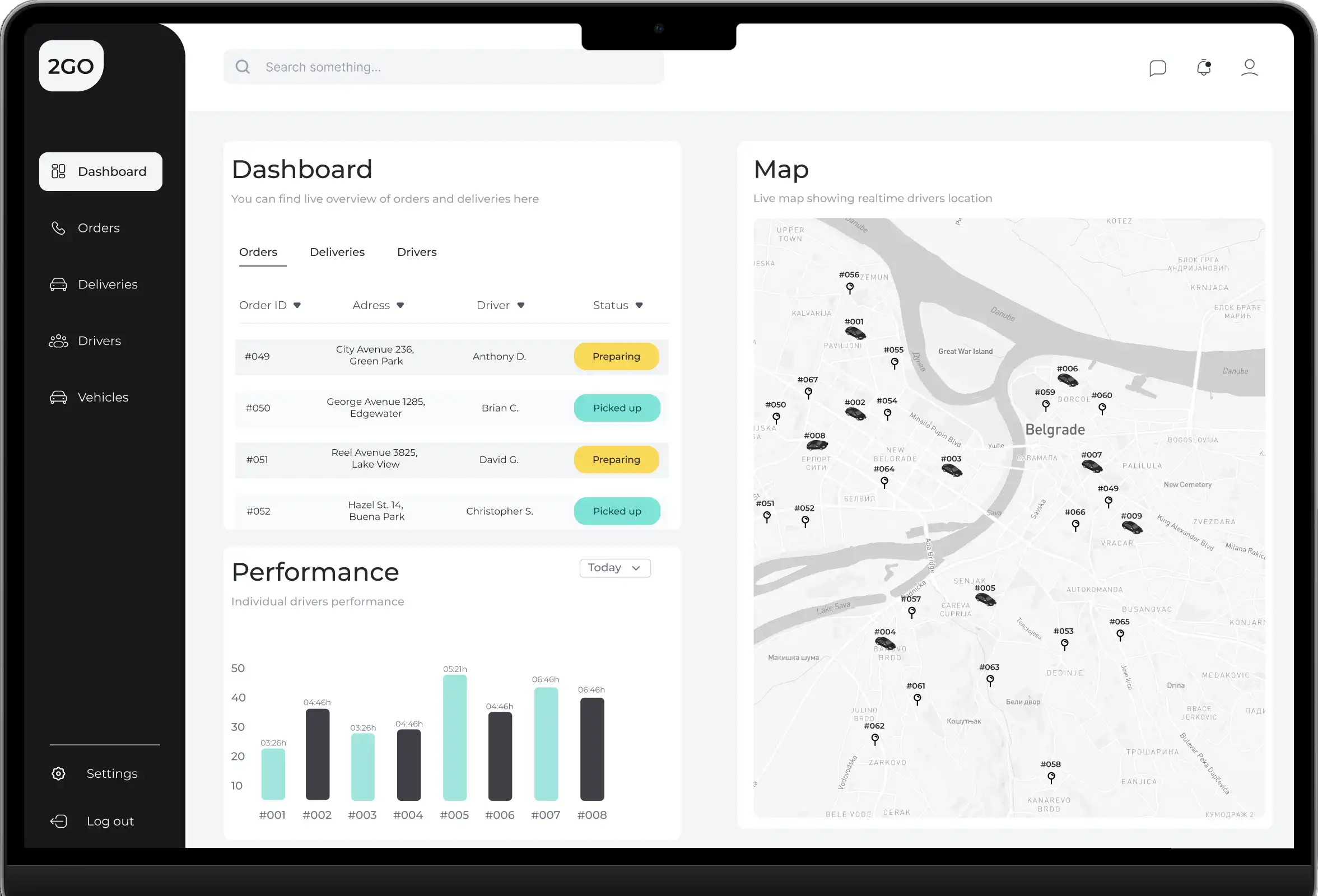
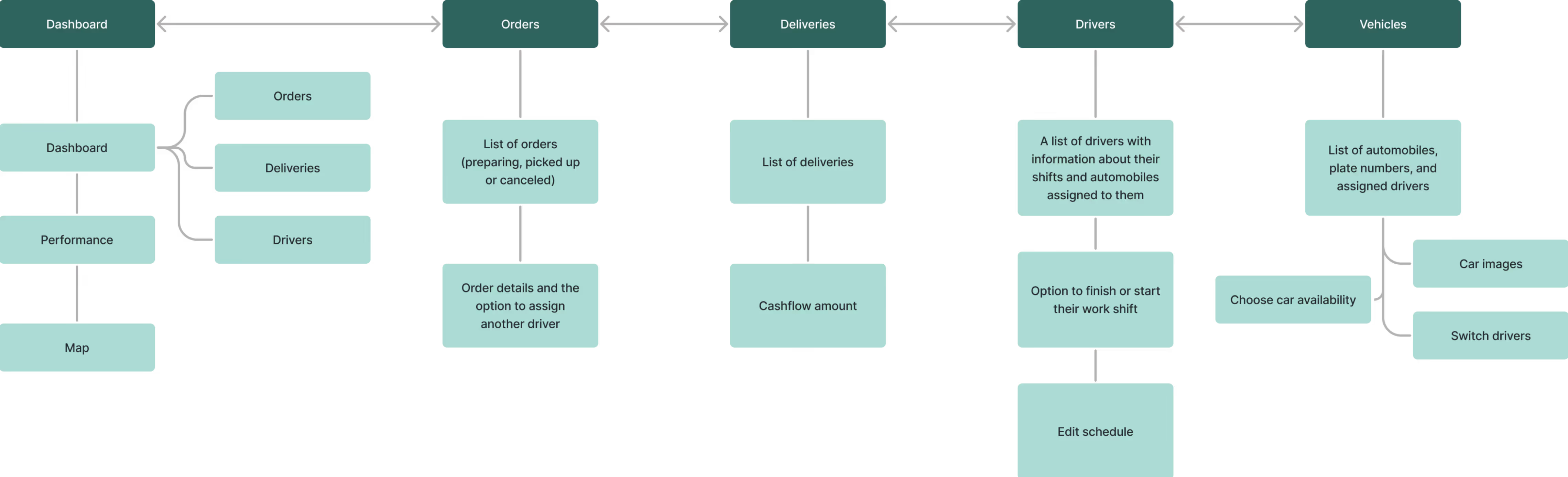
The admin dashboard is designed to reduce user stress by organizing components in a clear, intuitive way, making essential information easy to find. Key elements are grouped logically, allowing supervisors to access critical data like driver locations, order statuses, and performance metrics at a glance. The dashboard's main area provides a real-time overview of orders, deliveries, and driver shifts, enabling supervisors to manage workflows efficiently. Orders are automatically assigned, but supervisors have the option to make manual adjustments as needed.
Information Architecture: Driver's App
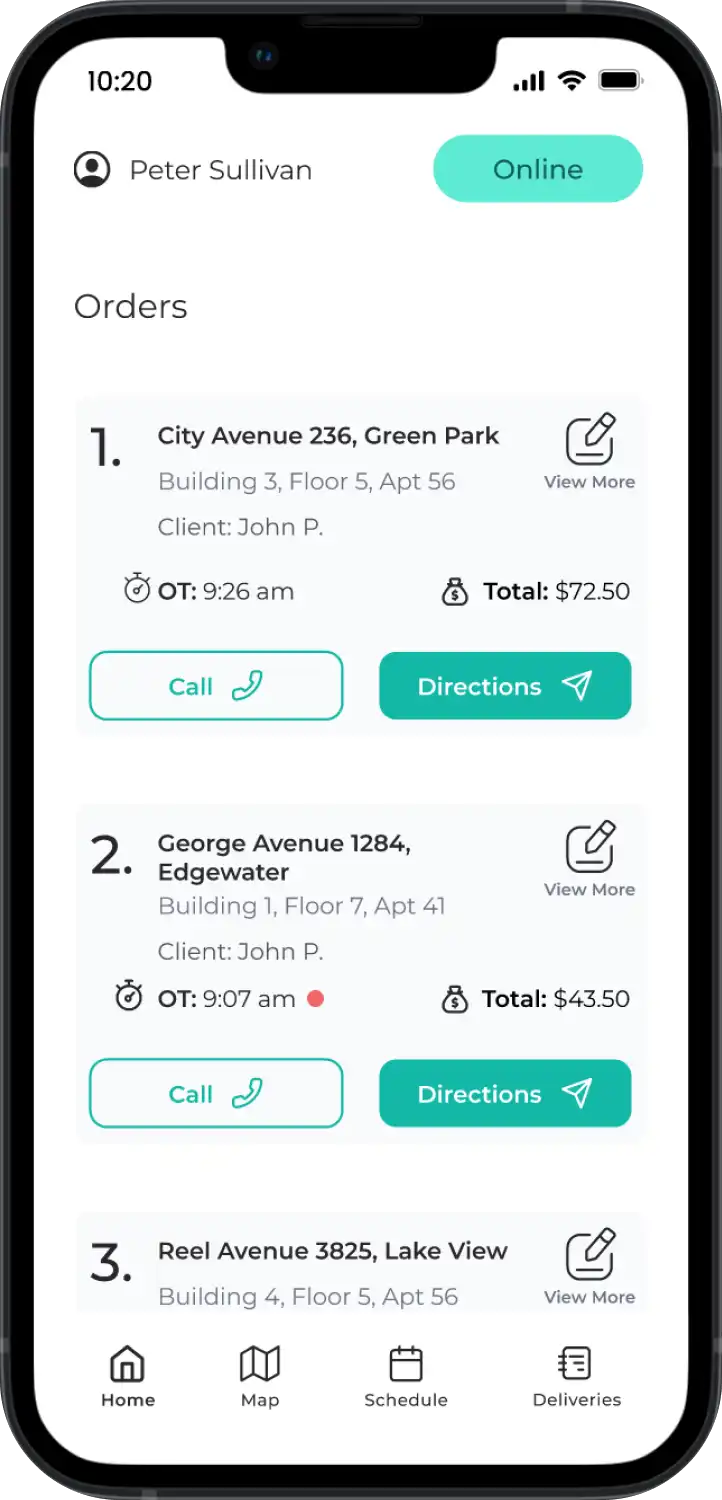
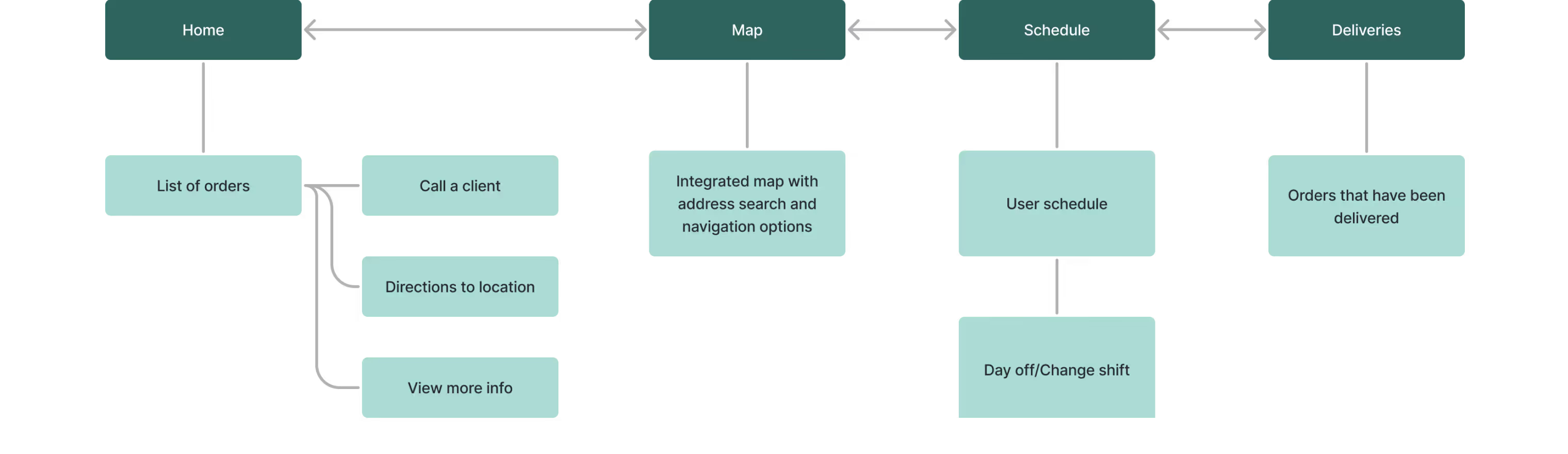
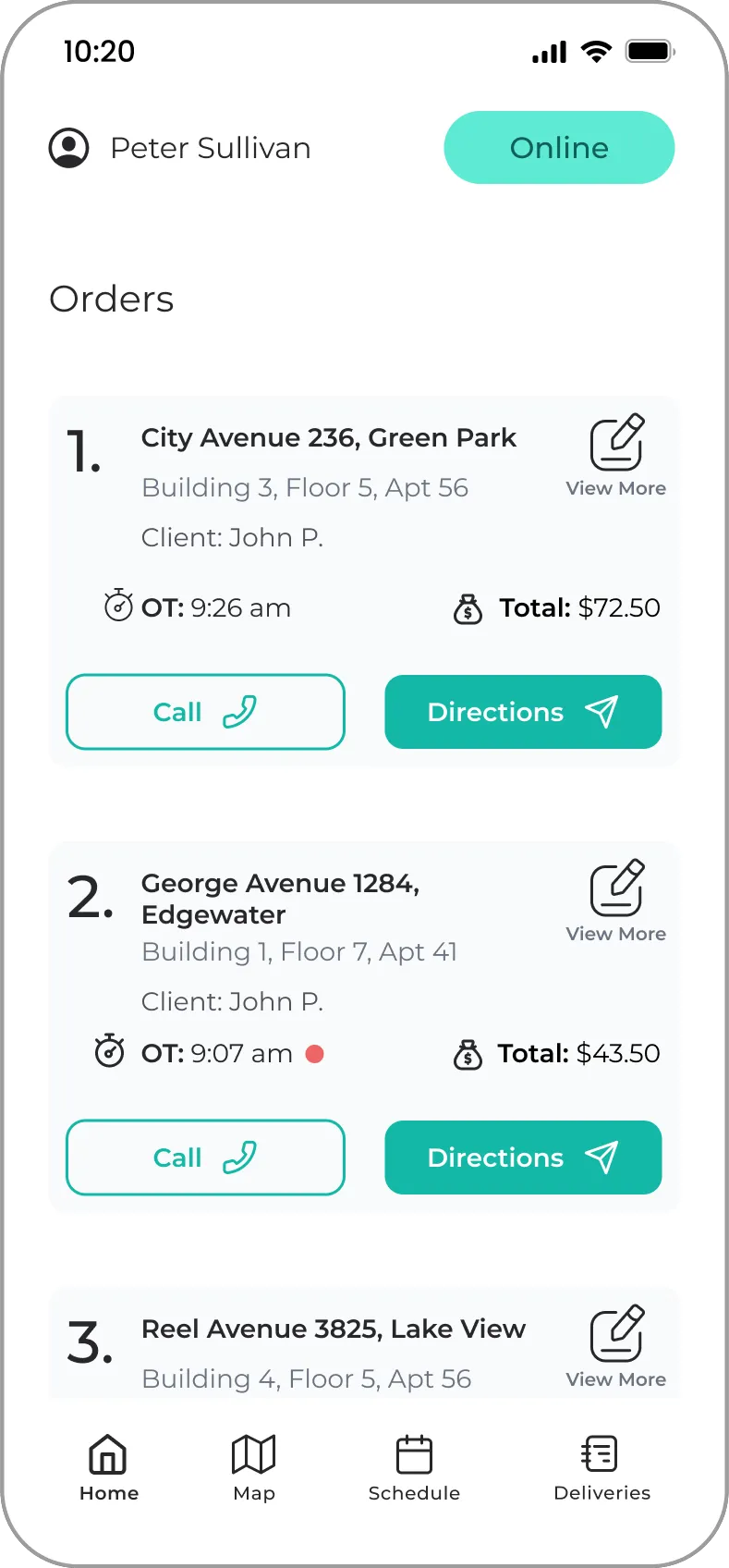
The driver's app simplifies task management for drivers, focusing on speed and ease of use. The home page displays a list of orders, allowing drivers to quickly access client details, directions, and call options. With just a swipe, drivers can mark tasks as complete, minimizing distractions during delivery. Features like GPS navigation and address lookup streamline the delivery process, ensuring that drivers can access all the information they need in a single, user-friendly interface.
System overview
The system includes two applications: a Supervisor’s App and a Driver’s App. The Supervisor’s App provides real-time insights into ongoing operations, displaying driver locations, client locations, and delivery performance metrics. Orders are automatically assigned, though supervisors can adjust them manually as needed. Supervisors can track deliveries made within a shift, monitor real-time order progress, and compare performance metrics across multiple days. The Driver’s App allows drivers to manage tasks efficiently by providing immediate access to GPS directions, customer contact information, and an overview of delivery items. This dual-application system ensures comprehensive tracking of orders, deliveries, and driver performance while fostering smooth coordination among supervisors, kitchen staff, and drivers.
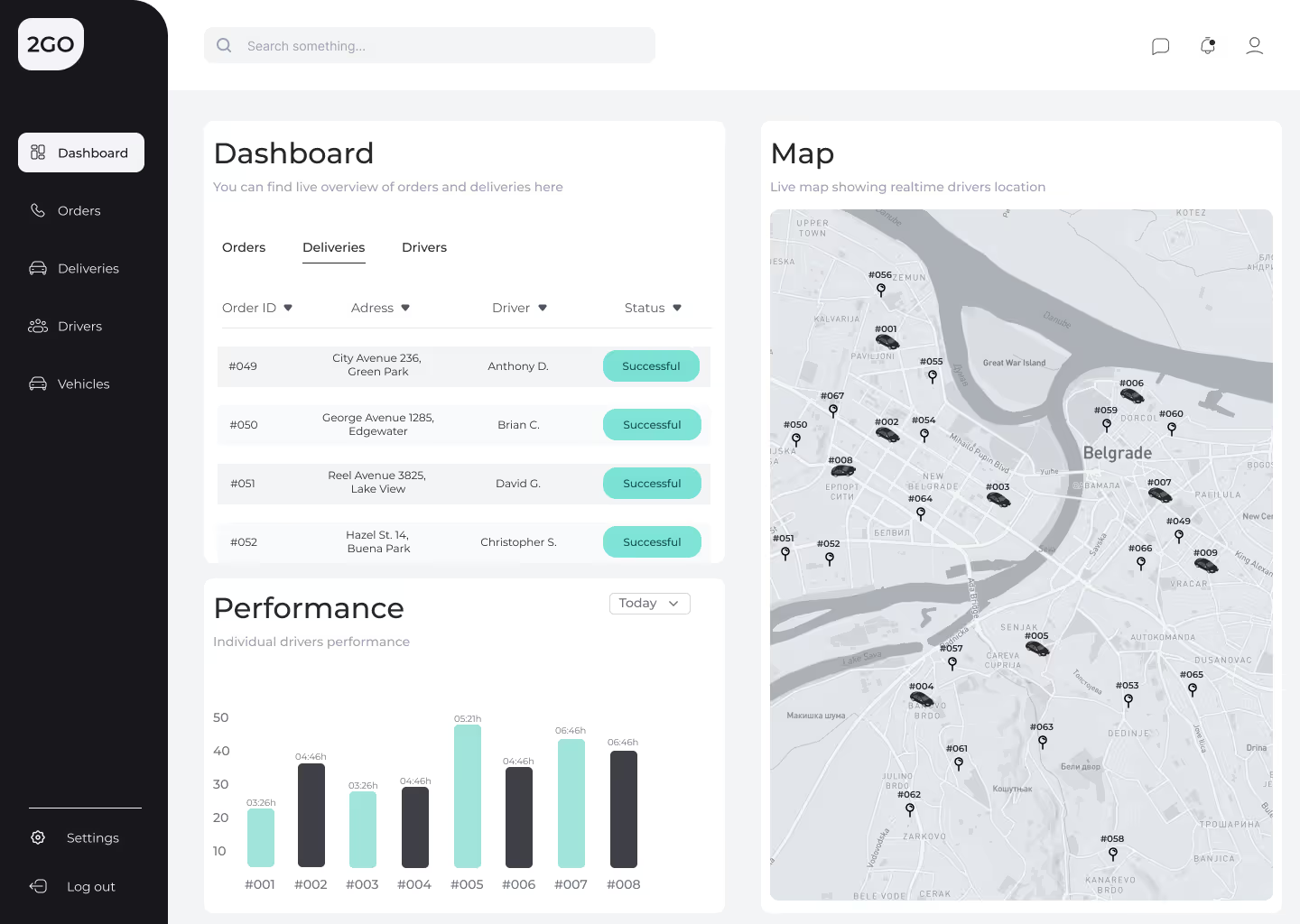
Dashboard overview - A user's overall understanding
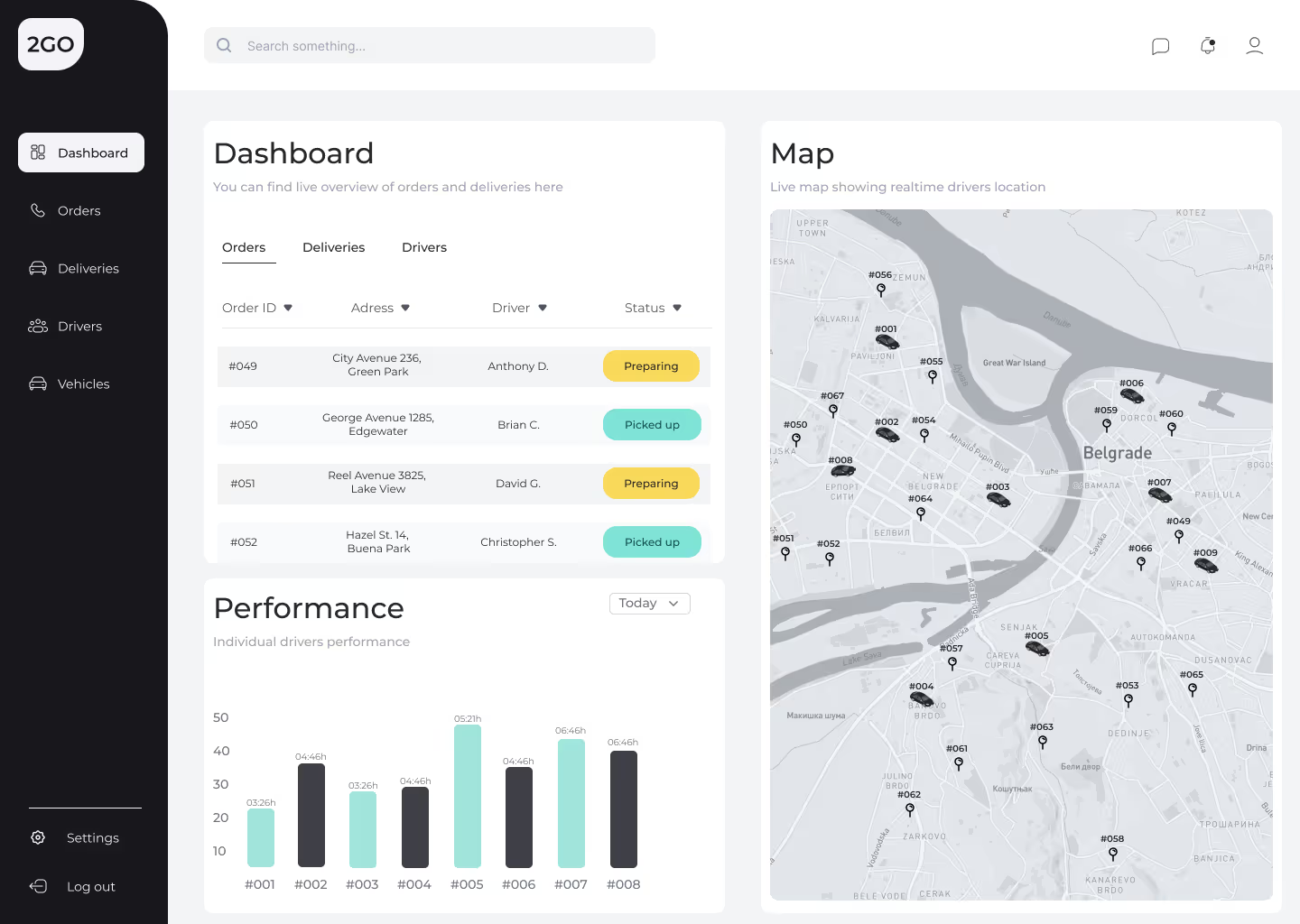
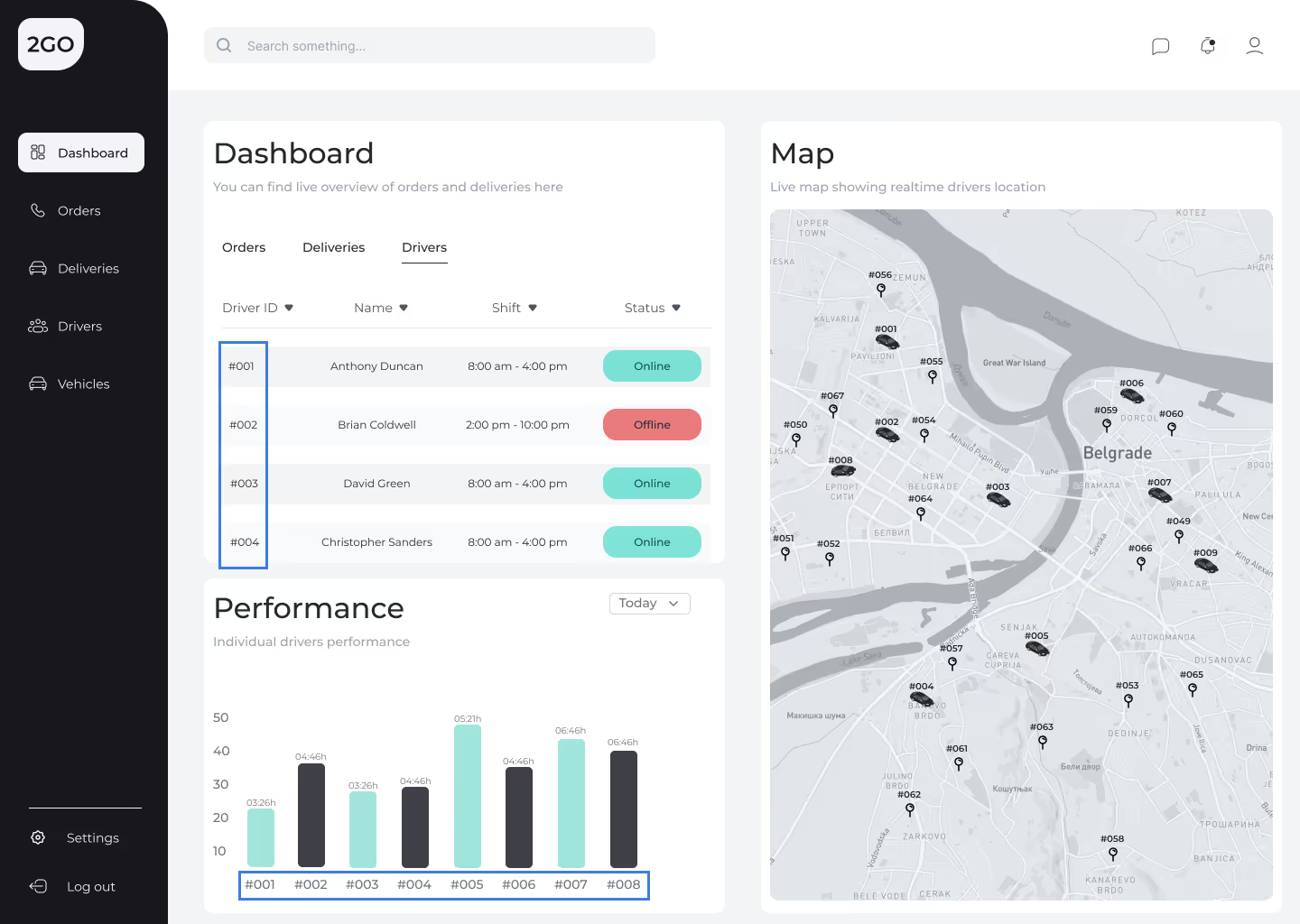
Dashboard Section - This section displays essential data, including orders, deliveries, and a list of available drivers, giving the supervisor a detailed, real-time overview of ongoing operations. While orders are automatically assigned, supervisors also have the option to assign them manually if needed.
Map - The map shows the real-time locations of both drivers and clients who have placed orders.
Performance - The performance section tracks the number of deliveries completed within specific timeframes during a shift. Supervisors can also compare these metrics across multiple workdays for a more comprehensive performance analysis.
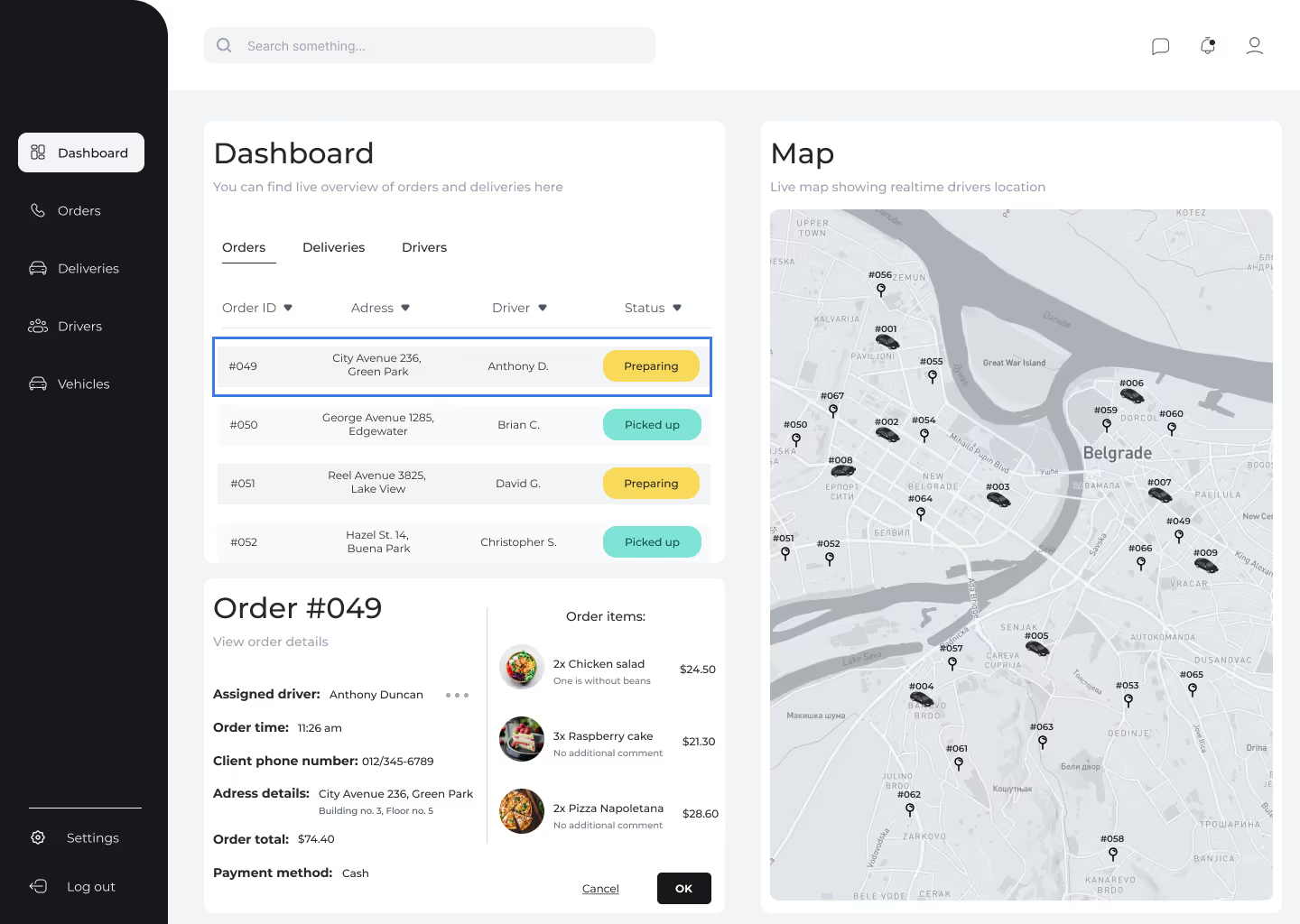
Order Overview
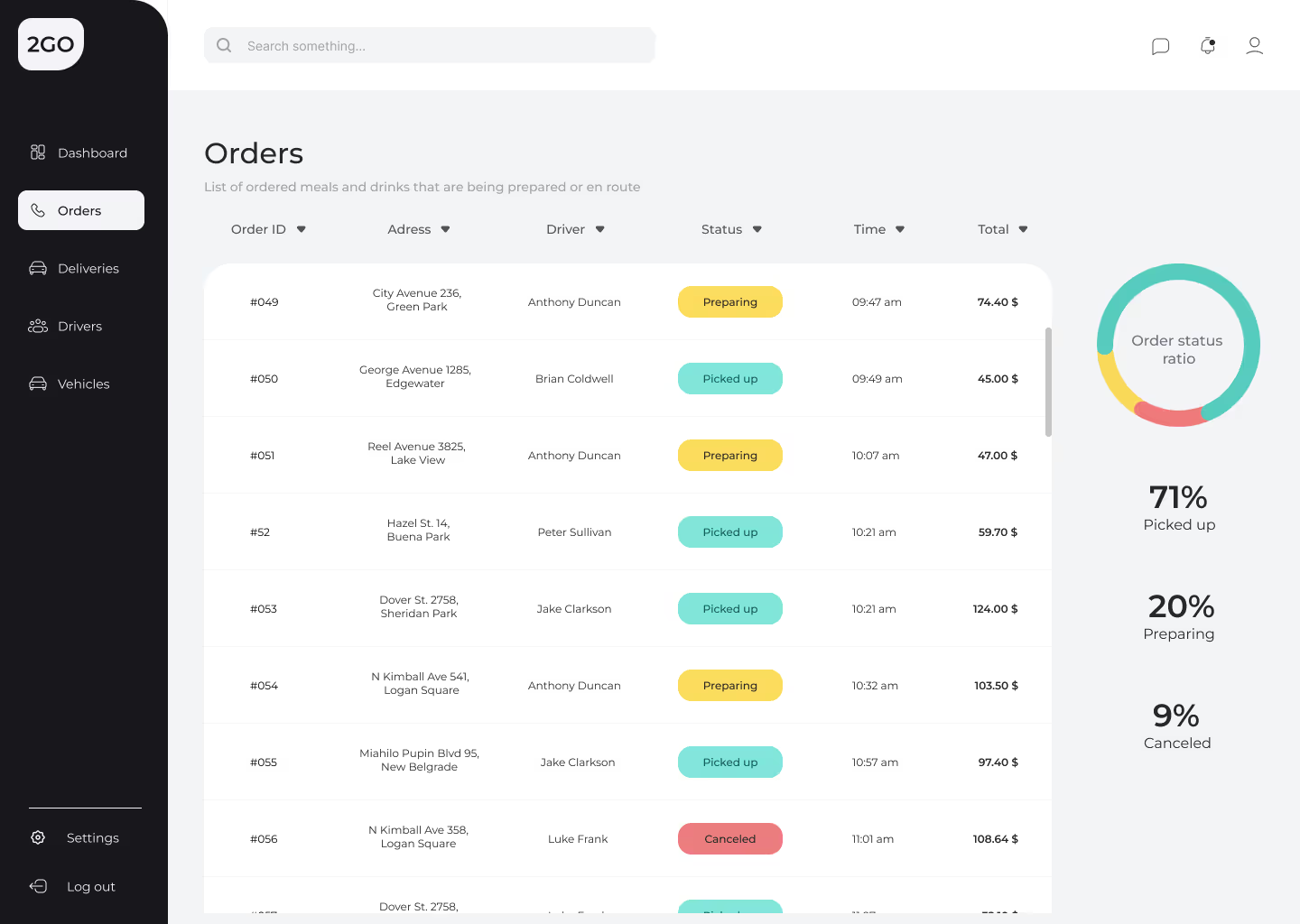
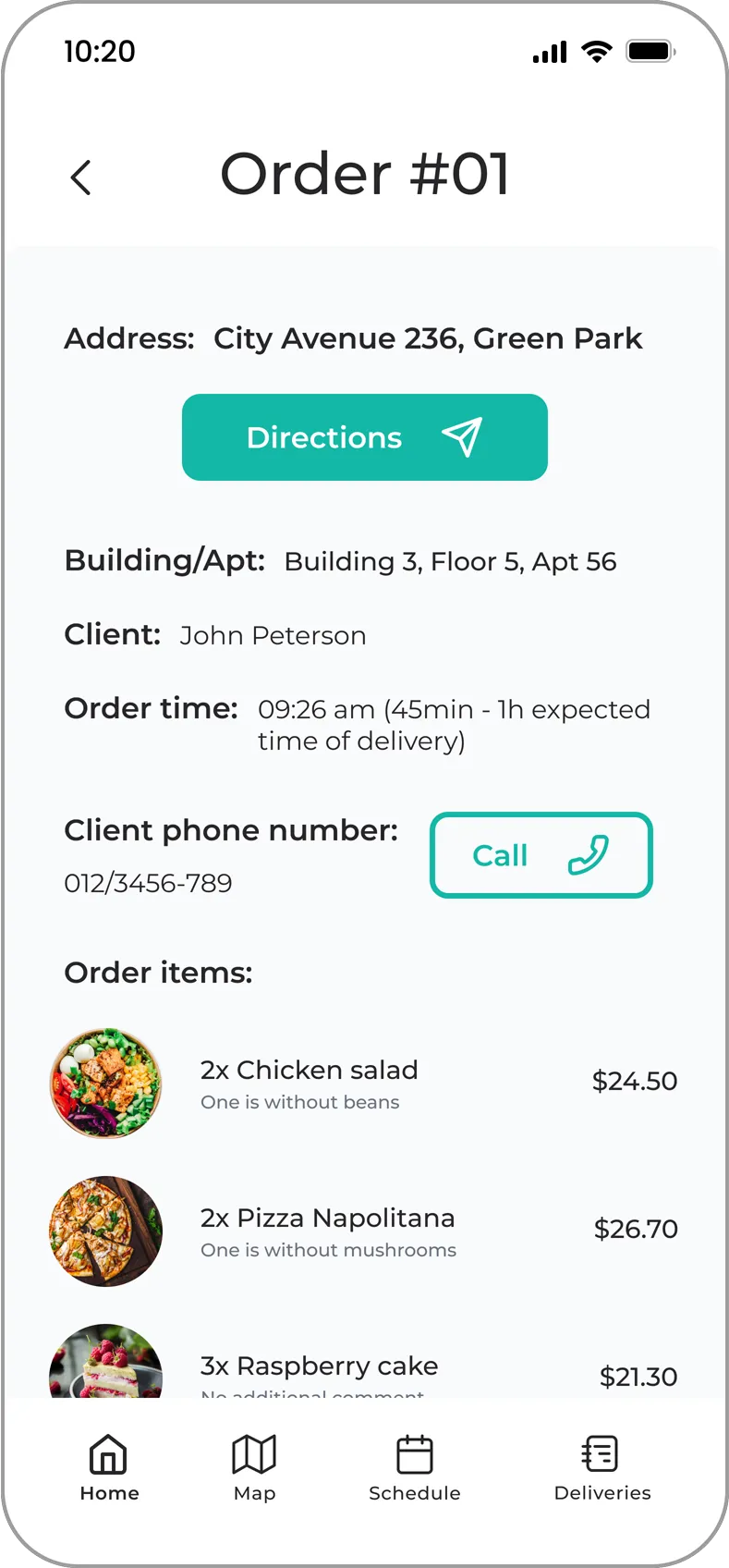
The user can review an order by clicking on it to access key details, such as the assigned driver, order time, client phone number, address, order price, and payment method. This information enables the supervisor to provide drivers with any necessary instructions.
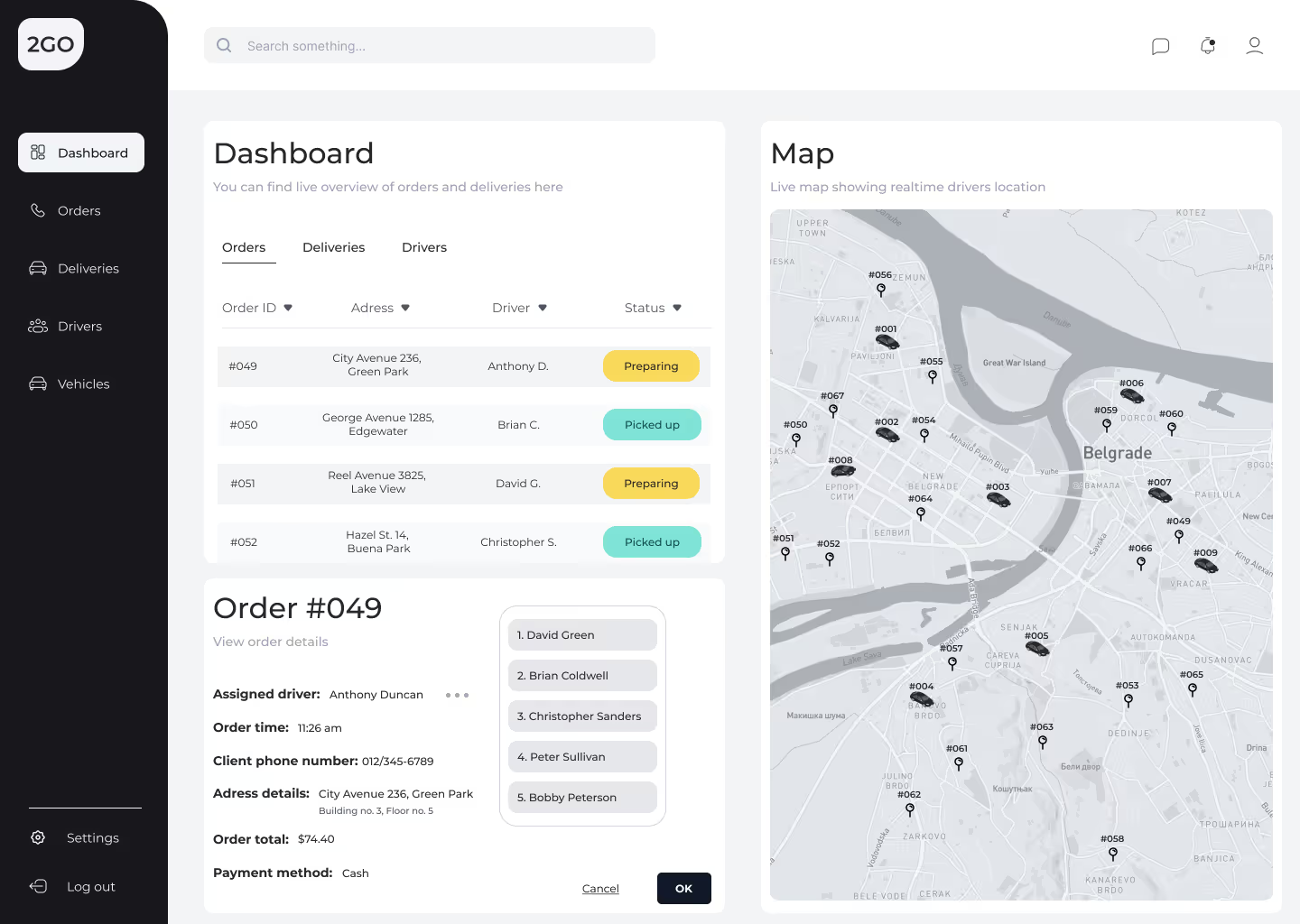
Driver Swap Option
The user has the option to manually reassign an order to a different driver by selecting from a list of available drivers. This feature allows the supervisor to optimize efficiency by choosing the most suitable driver for a given delivery.
Delivery Success Overview
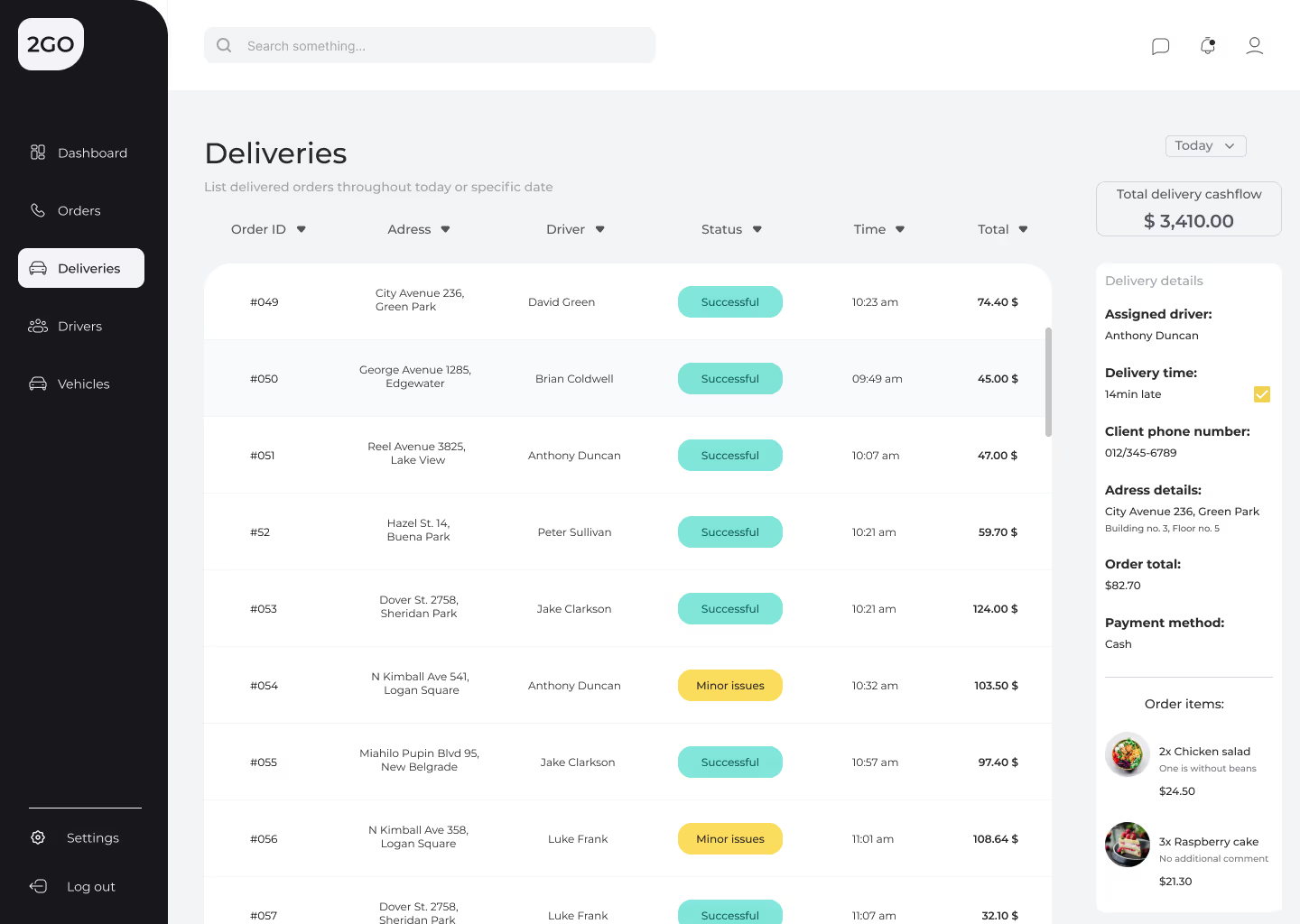
The supervisor can monitor the status of deliveries in real-time, keeping track of whether each delivery is successful or unsuccessful. This oversight ensures smooth operations and allows for prompt action in case of any issues.
Available Drivers and Schedules
A comprehensive list of available drivers and their schedules is displayed, with the Performance tab linking each driver by their unique ID. This data allows the supervisor to monitor drivers' real-time performance, helping them make informed decisions for optimizing future deliveries.
Quick Performance History Review
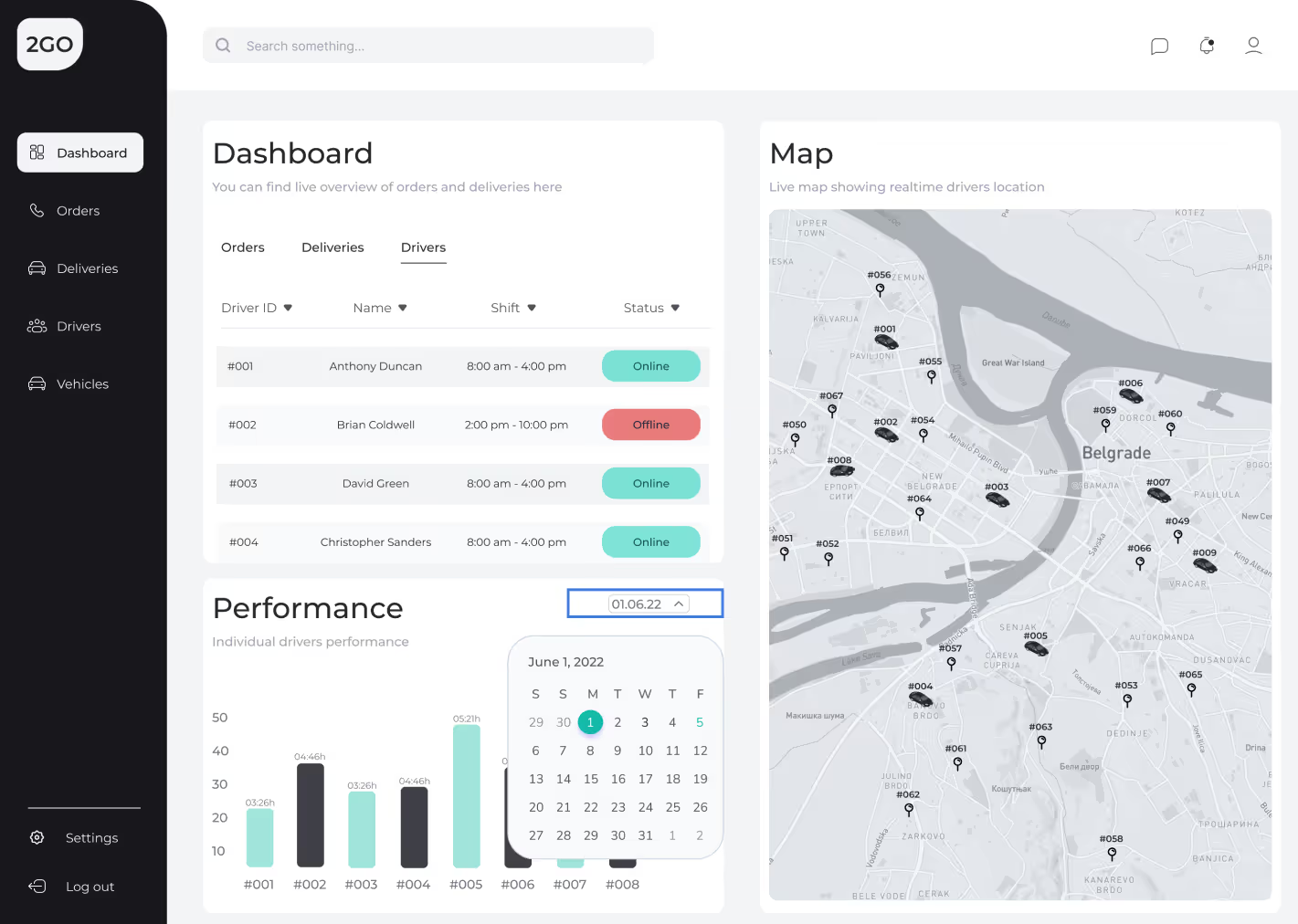
The supervisor can quickly review drivers' performance history by date, allowing for easy tracking of performance trends over time. This vital data aids in making informed decisions and adjustments to improve future delivery operations based on historical performance.
Orders Overview
The order section provides a comprehensive view of each individual order, allowing supervisors to access crucial information at a glance. By clicking on an order, the supervisor can view details such as the assigned driver, order time, client contact information, address, total price, and payment method. This information enables supervisors to provide precise instructions or make adjustments as needed, ensuring that each delivery is handled efficiently. Additionally, having instant access to these order specifics reduces communication delays, allowing the supervisor to make informed decisions quickly. The order overview thus plays a central role in maintaining streamlined operations and enhancing overall delivery speed and accuracy.
Deliveries Overview
The deliveries section provides a detailed summary of all ongoing and completed deliveries. Supervisors can view the status of each delivery in real-time, ensuring timely updates on progress. Essential details such as delivery time, driver assignment, and client location are easily accessible, enabling quick troubleshooting and effective management. The feature also highlights successful and unsuccessful deliveries, allowing supervisors to identify issues and make necessary adjustments promptly. This comprehensive overview ensures smooth delivery operations while maintaining high customer satisfaction.
Drivers Overview
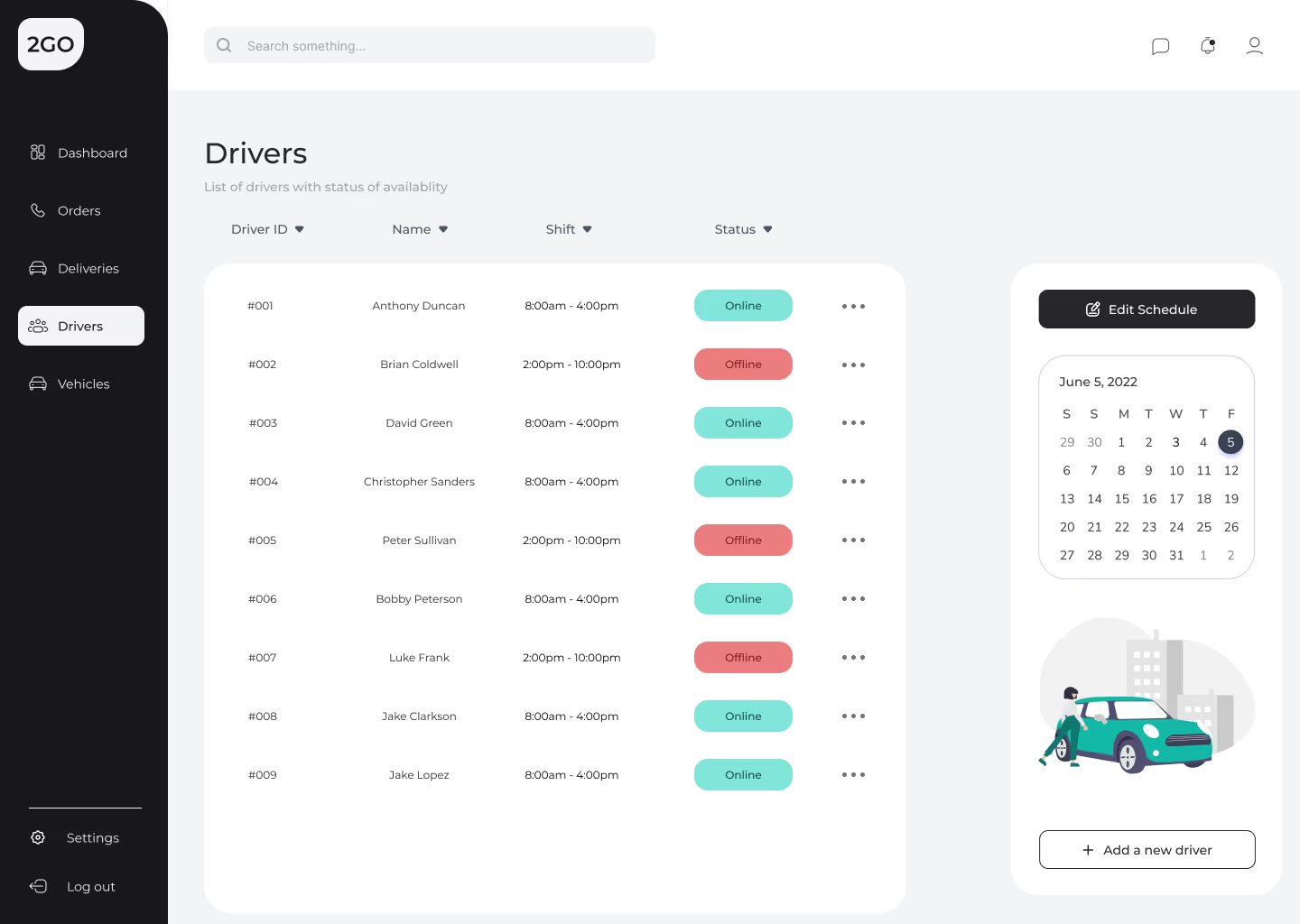
The drivers section offers a centralized view of all drivers and their current activities. Supervisors can monitor each driver’s real-time location, assigned orders, and shift schedules, ensuring optimal workforce management. Performance metrics for individual drivers are also readily available, helping supervisors evaluate productivity and address any concerns. With easy access to this information, supervisors can allocate resources effectively, improve delivery efficiency, and maintain seamless communication with drivers throughout their shifts.
Vehicles Overview
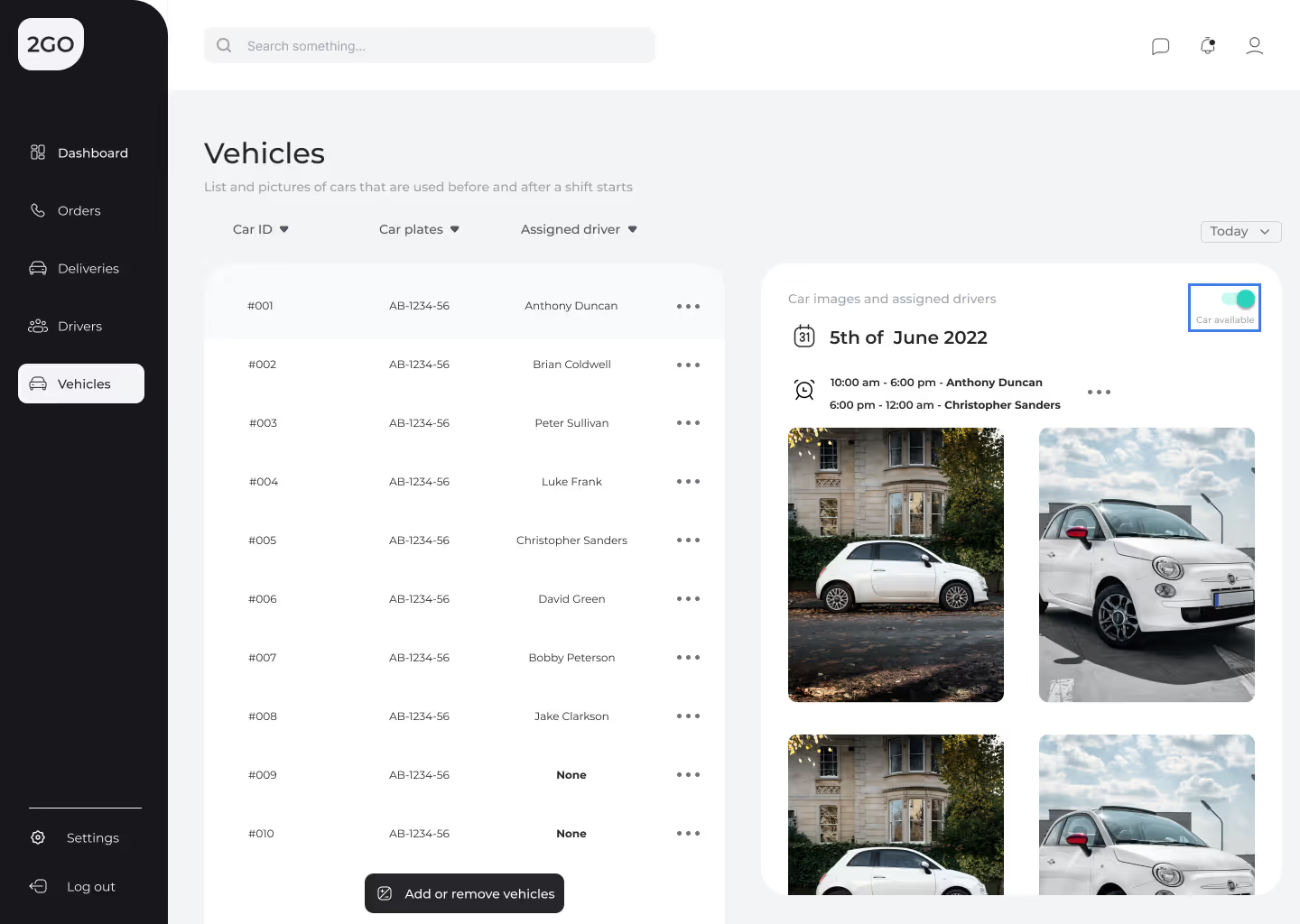
The vehicles section provides supervisors with a clear picture of the fleet's utilization and status. Each vehicle is linked to a driver and tracked in real-time, ensuring transparency in operations. Supervisors can view information such as the vehicle assigned to a specific driver, its availability, and maintenance status. This overview simplifies the management of resources, allowing for quick reassignments or updates as needed. With a well-maintained and efficiently utilized fleet, delivery operations remain consistent and reliable.
Driver App - Overall Understanding
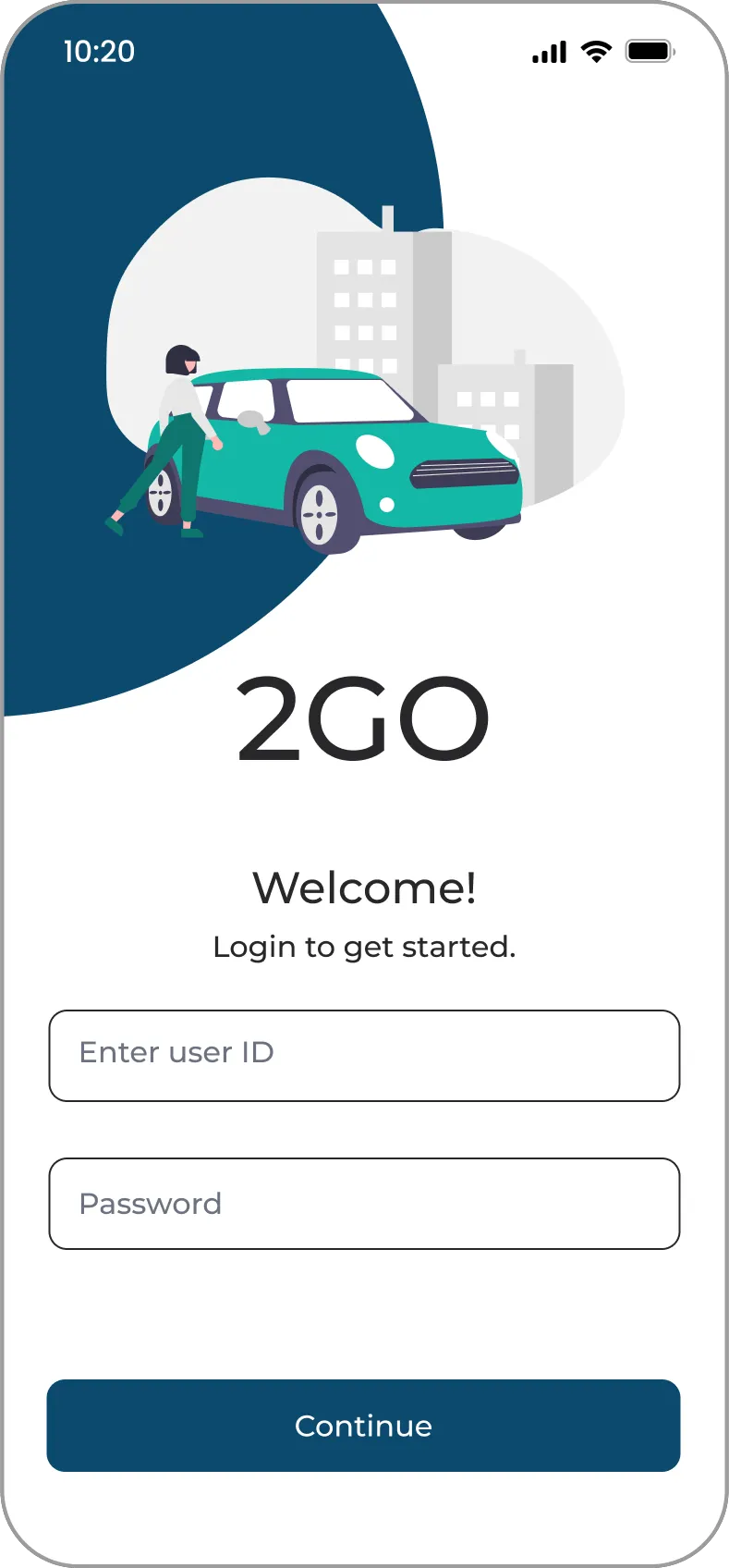
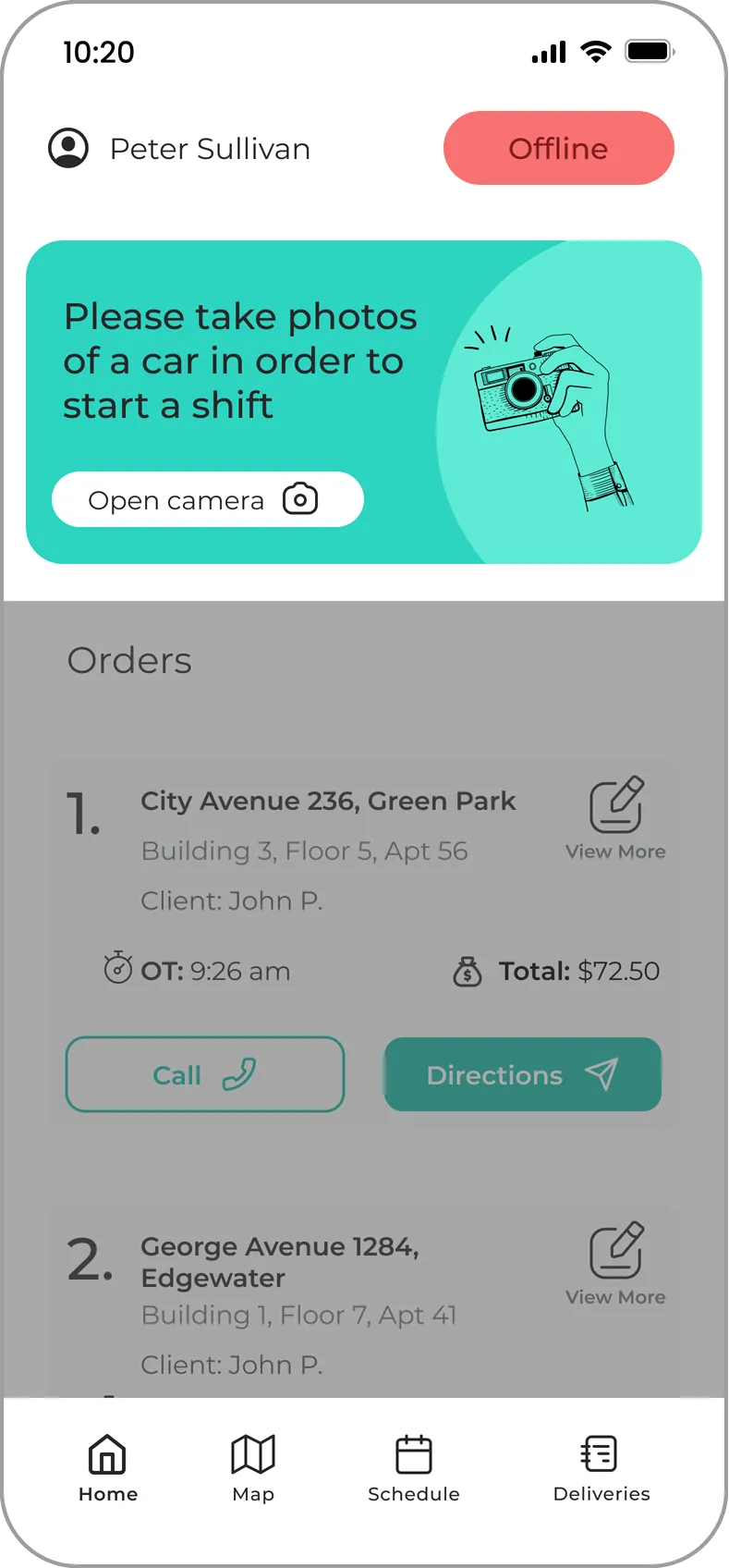
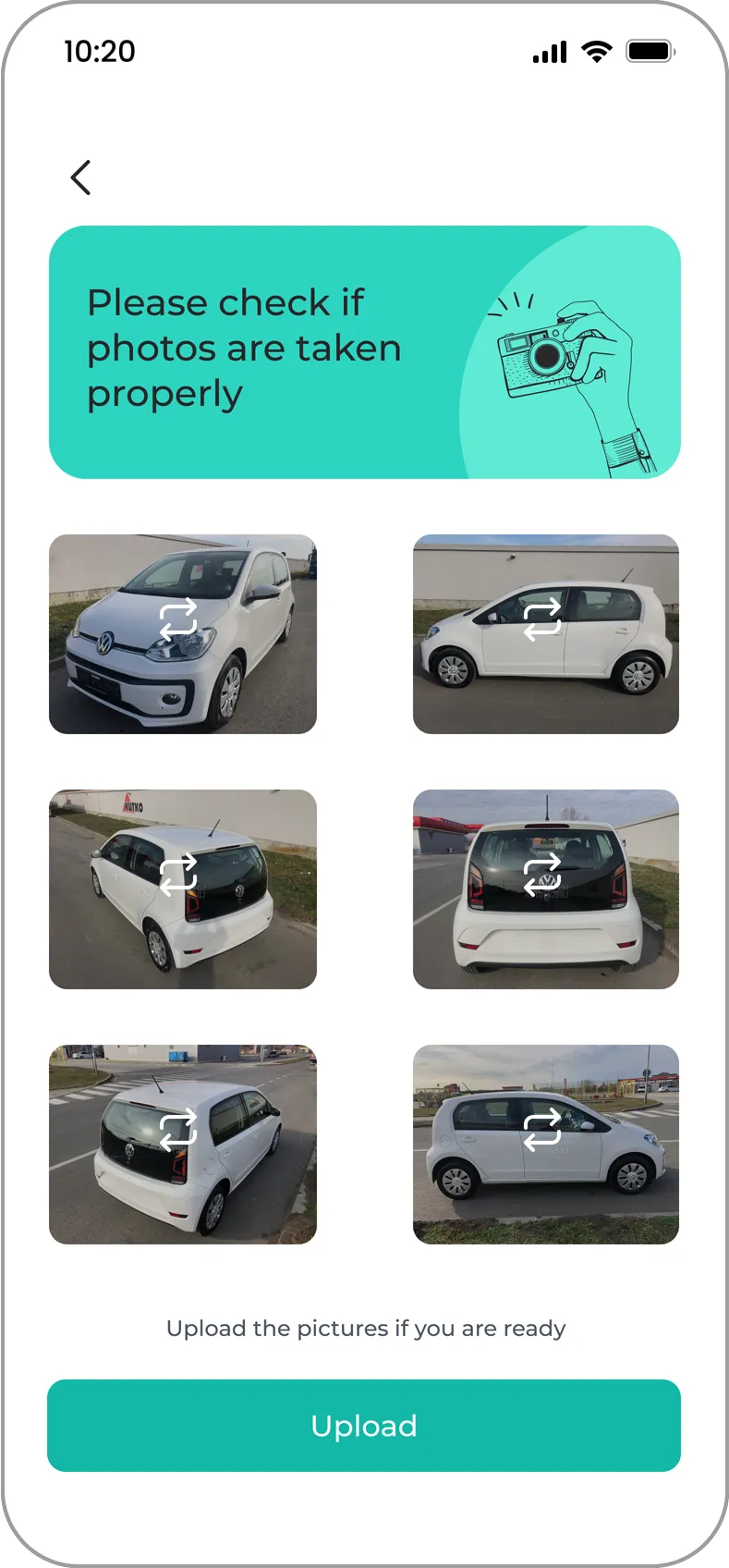
The driver app is an essential tool for ensuring seamless delivery operations by equipping drivers with all the necessary resources for efficiency and accuracy. Designed with simplicity in mind, the app minimizes the time spent on tasks such as picking up deliveries and locating clients. To maintain high operational standards, a mandatory vehicle check is required at the start of each shift. Drivers must upload a photo of their car during the login process, and their status remains offline if the photo does not meet the specified criteria. This feature ensures accountability and readiness before beginning a shift. With features like instant access to delivery details, navigation routes, and client contacts, the app enables drivers to focus on timely and successful deliveries, contributing to a smooth and efficient workflow.
Homepage
The homepage prioritizes efficiency, enabling users to perform essential actions with the fewest possible clicks. This intuitive and user-friendly interface is designed to streamline processes, allowing drivers to quickly access key functions such as order details, navigation, and client communication. By minimizing unnecessary steps, the homepage reduces drivers' stress levels, ensuring they can focus on completing deliveries efficiently and accurately.
Deliveries
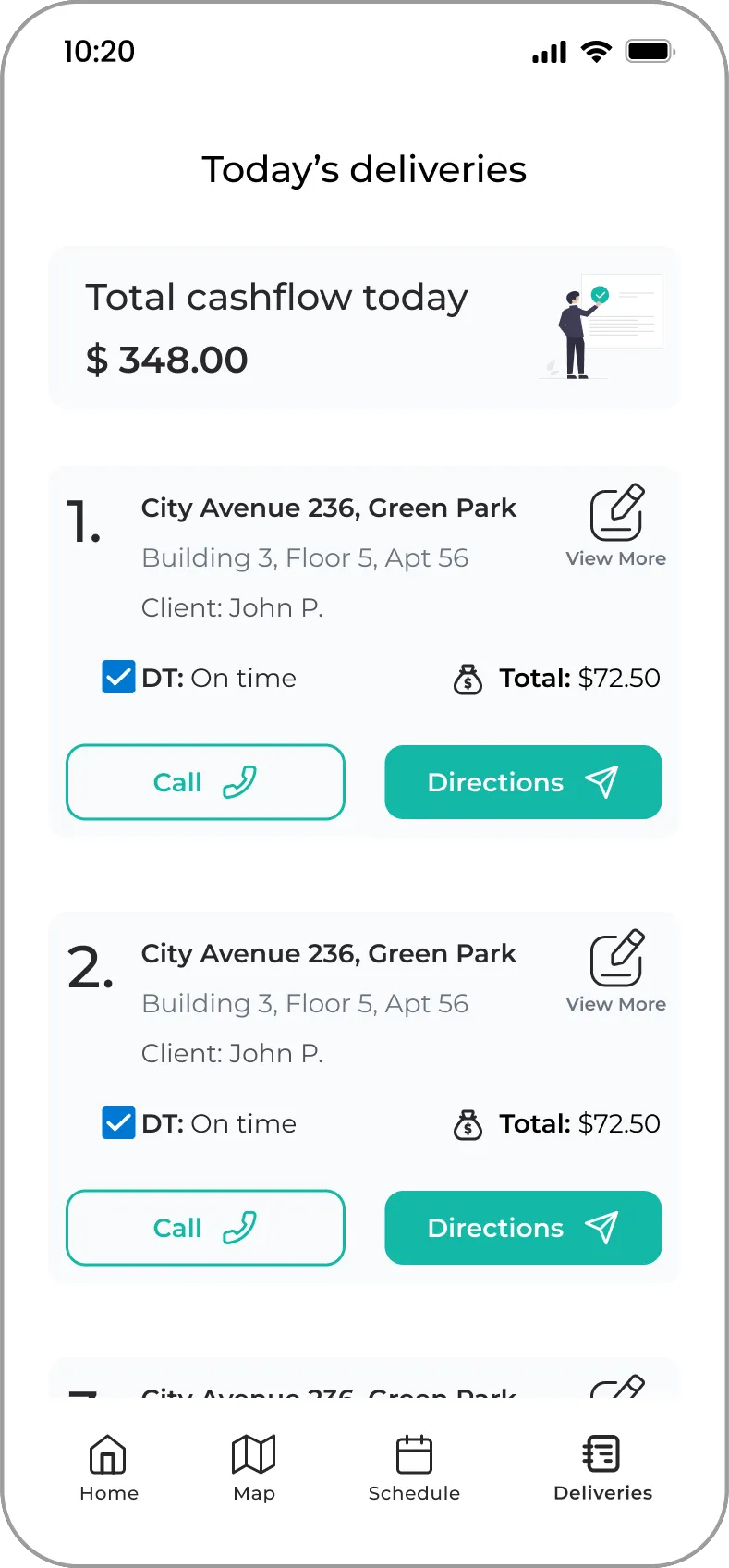
The deliveries section provides a clear and organized summary of completed orders, highlighting key details such as the delivery's success status, punctuality, and cash collection. For each successful delivery, drivers can see how much cash they need to hand over to the supervisor, ensuring accurate financial tracking. Additionally, the app records whether the delivery was on time or delayed, offering valuable insights into performance and areas for improvement. This feature not only enhances transparency but also supports effective communication between drivers and supervisors.
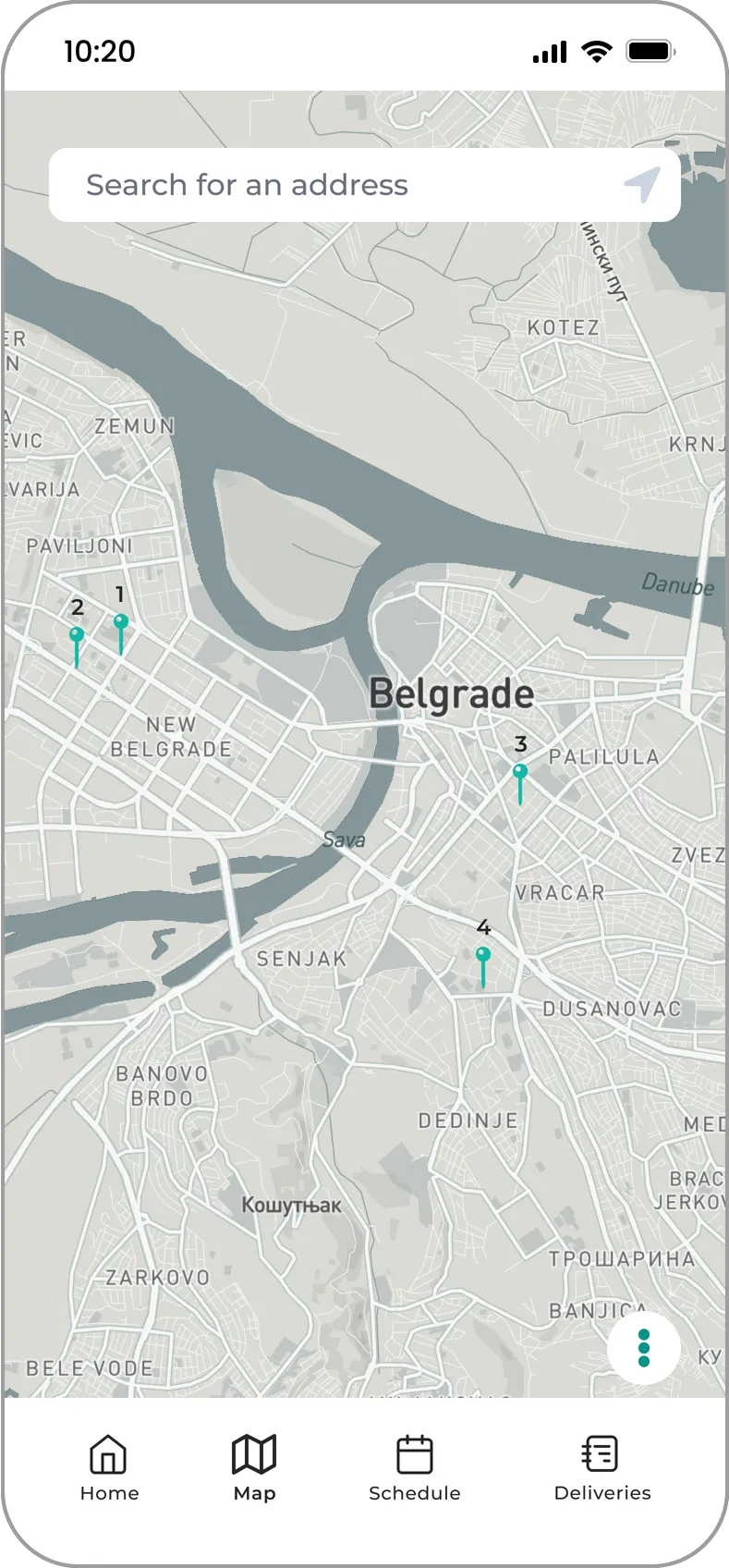
Map
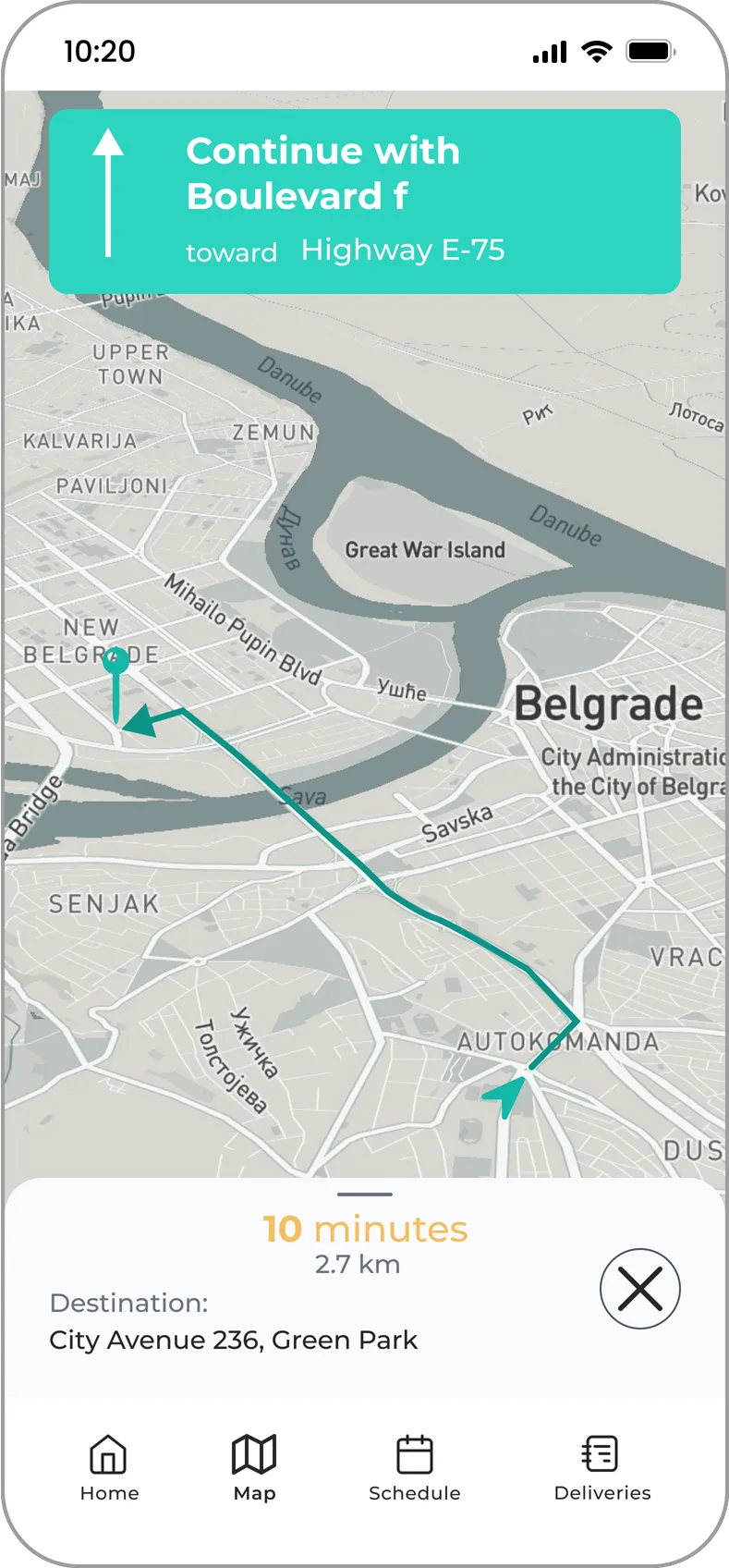
An integrated map is a core feature of the driver app, designed to assist drivers in quickly and accurately locating client addresses. The map provides real-time GPS navigation, ensuring drivers follow the most efficient routes to their destinations. It also highlights key landmarks and traffic updates, helping drivers avoid delays and optimize their delivery times. With its intuitive interface, the map reduces the need for external navigation tools, allowing drivers to focus solely on the task at hand. This functionality not only improves delivery speed but also enhances the overall user experience for both drivers and clients.
Schedule
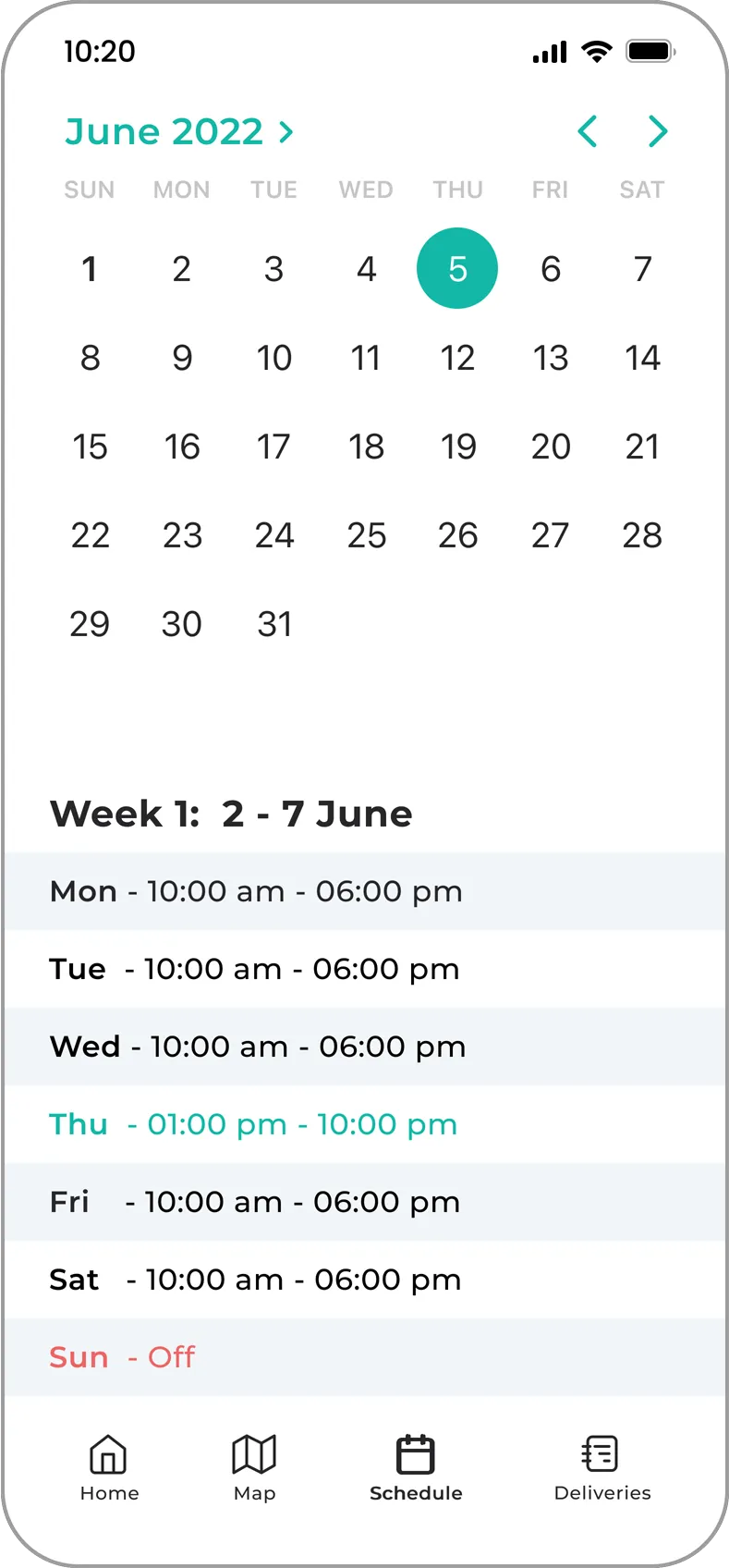
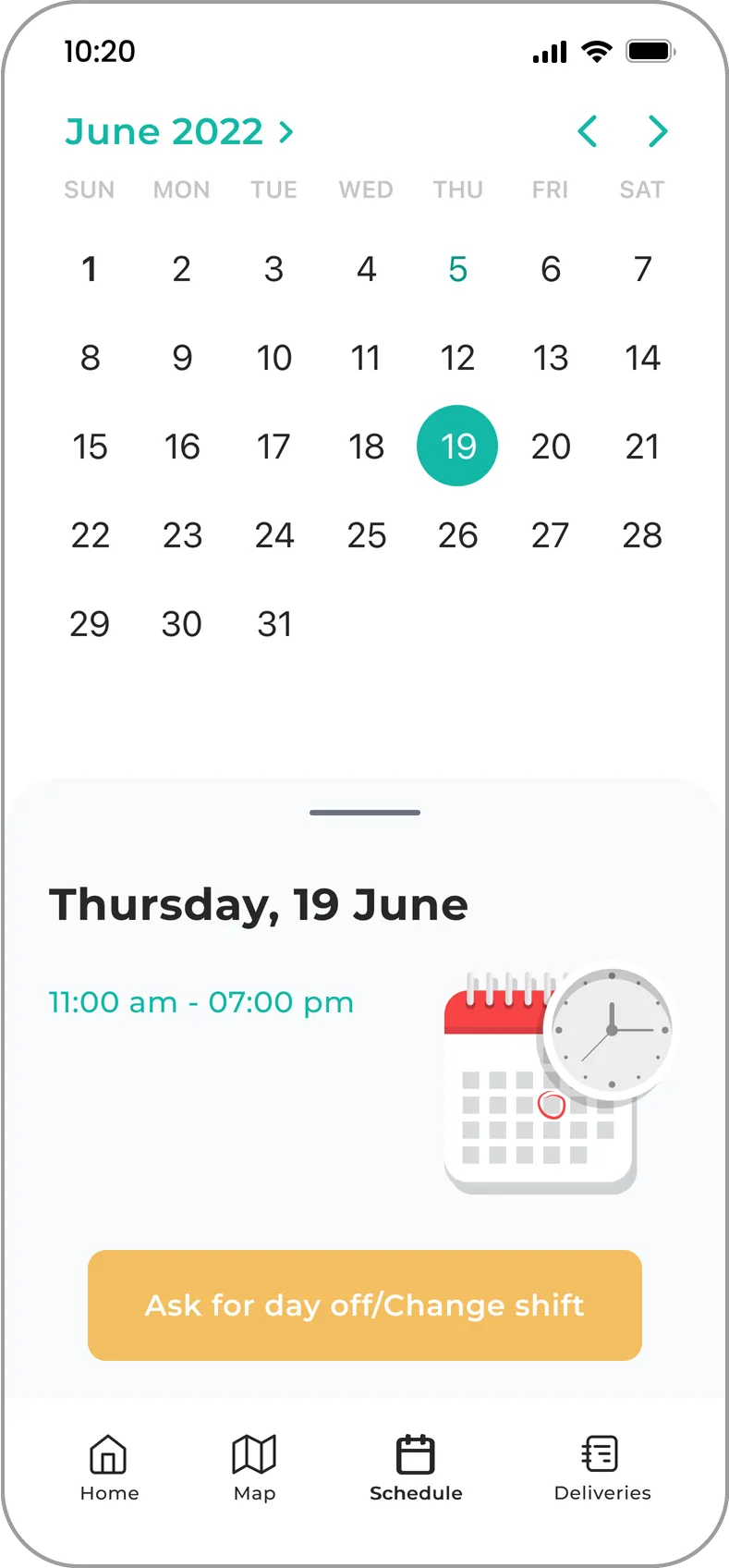
The schedule feature offers drivers a clear view of their upcoming work shifts, ensuring they can plan their time effectively. In addition to displaying scheduled shifts, the app includes an option for drivers to request a shift change. This request is sent directly to the supervisor for approval. Once approved, the system seamlessly updates the schedule, automatically swapping shifts between the two drivers involved. This streamlined process enhances flexibility and coordination, making it easier for drivers to adapt to changes while maintaining operational efficiency.